Phonebloks - circulated virally around the Web. The idea of a phone that
can be whatever you want it to be definitely met with approval, and we
might soon see it turn into reality, thanks to Motorola.
Samsung
seems to have the same goal, but its approach has been to create a new
model for every possible need. Did we hear someone enquiring about a
smartphone with a 5.1-inch screen and top-of-the-line specs? We have the
Galaxy S4/S5 for you. No? Do you want a slightly bigger screen with a
full-HD display and a stylus? Take a look at the Galaxy Note 3. You
think that's too expensive but don't mind a slight compromise on the
screen resolution and camera specifications? Enter its younger sibling -
the Galaxy Note 3 Neo.
For the uninitiated, this cacophony of
device names might be unnerving. Did we mention there is also a Samsung
Galaxy Note 3 Neo Duos? Now, while we are at the topic of bewildering
monikers, check this out.
The Neo is slimmer and sleeker than its
namesake, and Samsung is also blowing its trumpet about the hexacore
processor housed inside the device. Is the younger sibling rough around
the edges? How is the performance compared to the Note 3 which is
slightly more expensive? Is there a single redeeming feature for us to
recommend the Note 3 Neo? Read on to find out.
Look and Feel
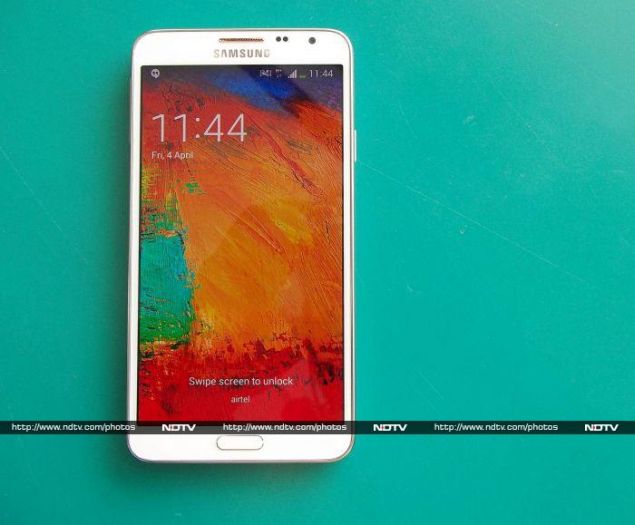
This 'lite' edition also has the faux leather plastic back with a distinctive stitch design running across the border akin to its elder sibling. The Neo feels comfortable to hold if you have big hands, but it isn't too comfortable for single-handed operation. Reaching the top of the screen with your thumb is bound to be a hassle.
This 'lite' edition also has the faux leather plastic back with a distinctive stitch design running across the border akin to its elder sibling. The Neo feels comfortable to hold if you have big hands, but it isn't too comfortable for single-handed operation. Reaching the top of the screen with your thumb is bound to be a hassle.
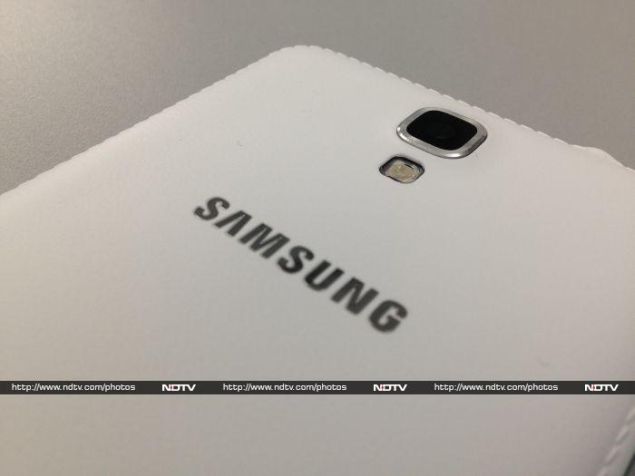
Looking at it
from the back, the camera and flash modules sit on top of the Samsung
logo running across the breadth of the device. Removing the rear cover
reveals the removable 3100mAh battery, a slot for the SIM card, and
another one for the microSD memory card. It is interesting to note that
the NFC module is a part of the battery.
We reviewed the alluring
white edition and it is definitely a dust magnet. However, the Neo is
also available in classic black and cool mint (which looks rather
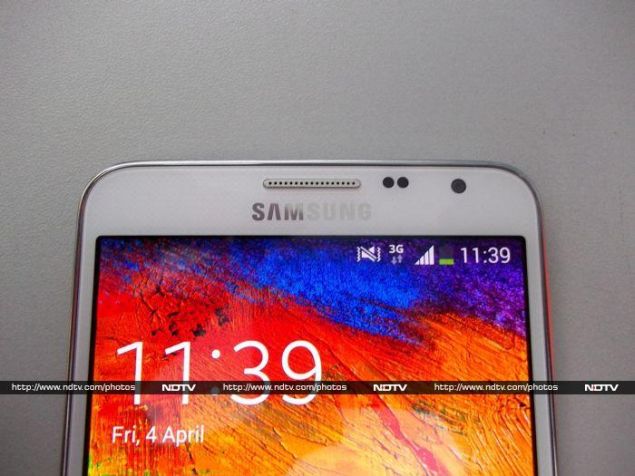
bland). This phablet has a single physical button for the home function
which is flanked on either side by the back (right) and menu (left)
buttons. Right above the screen is the earpiece grille. To its right are
the proximity and light sensors, and the front camera module. To its
left, you can see a discreet (almost invisible) notification LED. A bit
too cramped in our opinion.
A chrome trim runs around the border,
which houses most of the buttons and ports. The left edge has a volume
rocker and the power button sits on the right edge, which is great for
accessibility considering the size of the device (we're looking at you,
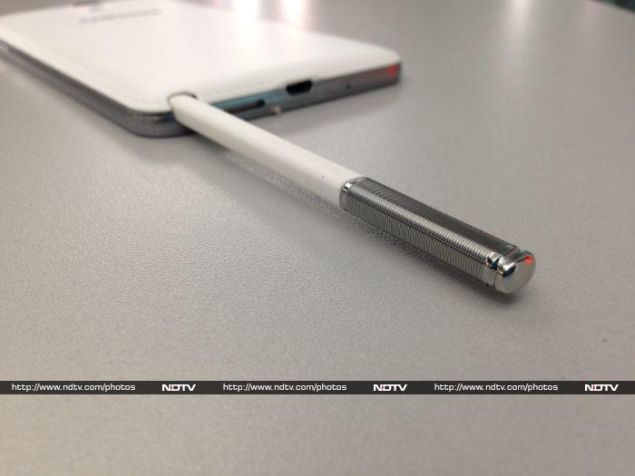
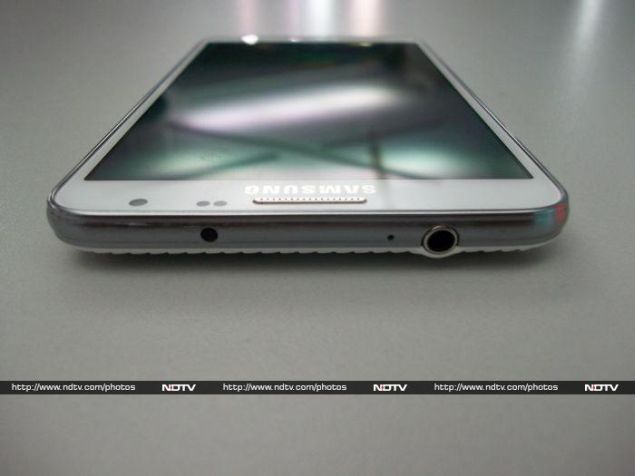
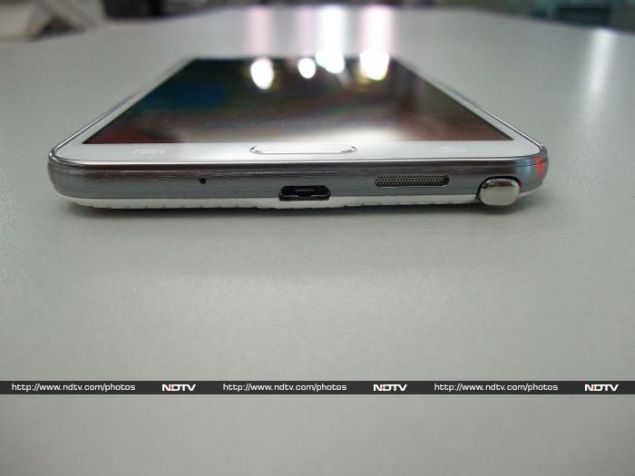
HTC). The bottom is the busiest, with the Micro-USB charging/data port,
speaker grille, microphone, and enclosure for the S Pen stylus. The top
is also crowded, with the 3.5mm jack, extra microphone for the
speakerphone, and an infrared LED.
The oft-used statement 'don't
judge a book by its cover' holds true in the case of the Neo, since the
faux leather might give it a premium look. Once we pry open the rear
cover, it is unmistakably and unapologetically plastic. Despite this,
the Galaxy Note 3 Neo is a sturdy device with no signs of flex.
Features and Specifications
The USP of this Samsung phablet is the hexacore processor, which includes a quad-core Cortex A7 clocked at 1.3 GHz and a dual-core 1.7GHz Cortex A15, supported by a Mali T-624 graphics subsystem. The Neo has 16GB of internal memory and supports up to 64GB more using a MicroSD card. Two gigabytes of RAM are available for the user, which is a gigabyte less than on the Note 3. The rear camera is an 8MP variant (again stripped down from the Note 3's 13MP) with flash and there's also a 2MP front-facing camera capable of capturing 1080p video for those long Skype sessions.
The USP of this Samsung phablet is the hexacore processor, which includes a quad-core Cortex A7 clocked at 1.3 GHz and a dual-core 1.7GHz Cortex A15, supported by a Mali T-624 graphics subsystem. The Neo has 16GB of internal memory and supports up to 64GB more using a MicroSD card. Two gigabytes of RAM are available for the user, which is a gigabyte less than on the Note 3. The rear camera is an 8MP variant (again stripped down from the Note 3's 13MP) with flash and there's also a 2MP front-facing camera capable of capturing 1080p video for those long Skype sessions.
Coming to the connectivity, Samsung has all bases
covered, with 2G, 3G, LTE (no support for 2.3GHz band, though), GPS,
Wi-Fi 802.11 a/b/g/n/ac, NFC, and Bluetooth 4.0. Moreover, Samsung has
added a multitude of sensors including an accelerometer, gyro, proximity
sensor and compass.
Since the Neo is supposed to be a stripped
down version of the Galaxy Note 3, Samsung has made a compromise on the
screen, which is a 5.5 inch 720p Super AMOLED capacitive touch panel. It
translates to a pixel density of approximately 267 per inch. Despite
being a PenTile screen, it isn't bad by any stretch of the imagination.
In fact, the accurate colour reproduction and impressive viewing angles
are an advantage. The screen also has Gorilla Glass 3 for protection
just like the Note 3, which should allow it to handle a few scratches.
Software
Colourful wallpapers and icons are standard for TouchWiz - Samsung's custom UI on top of all its Android (4.3 Jellybean, in this case) devices. It is garish, loud, cartoonish, and we are no strangers to it anymore. Nothing's changed in the case of the Galaxy Note 3 Neo.
Colourful wallpapers and icons are standard for TouchWiz - Samsung's custom UI on top of all its Android (4.3 Jellybean, in this case) devices. It is garish, loud, cartoonish, and we are no strangers to it anymore. Nothing's changed in the case of the Galaxy Note 3 Neo.
The Neo
carries forward all the software embellishments Samsung introduced with
the Note 3. The most interesting of the lot is Air Command, which uses
the S Pen (capacitive stylus) exclusive to the Note series. Basically,
the moment you detach the S Pen, you'll see a semi-circular wheel of
commands on screen. Using the S Pen, the user can select any of the
following tools: Action Memo, Scrapbooker, Screen Write, S-Finder and
Pen Window. Except for Pen Window which is used to launch apps
compatible with Samsung's multitasking scheme, the rest of the features
seem to have limited value. Still, we noted that the S Pen works better
than any stylus in the market.
A few other features like Smart
Stay, Smart Scroll and Smart Pause are present too. They work
occasionally, but using Smart Scroll, for example, appeared to
bystanders as though we were performing advanced neck exercises.
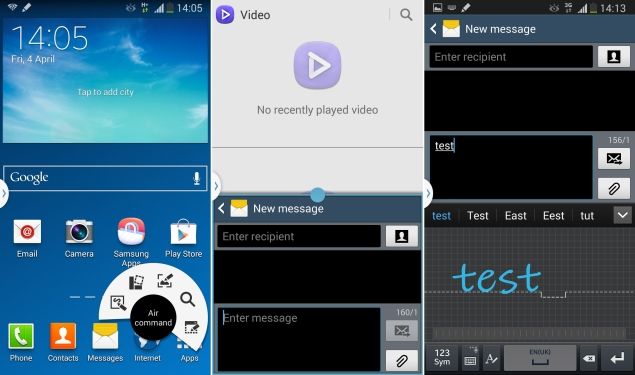
Samsung
provides a panel of applications that the can run on screen
simultaneously, and we found ourselves using this quite often,
especially when we wanted to watch a video and do other little things
such as sending a text message alongside.
TouchWiz offers a
plethora of options in the notification panel and frankly, despite
looking messy, it is indeed functional. Also, Samsung's default keyboard
includes a number row on top of the QWERTY layout which is handy.
Another nifty addition is the handwriting-to-text feature on the
keyboard that works like a charm.
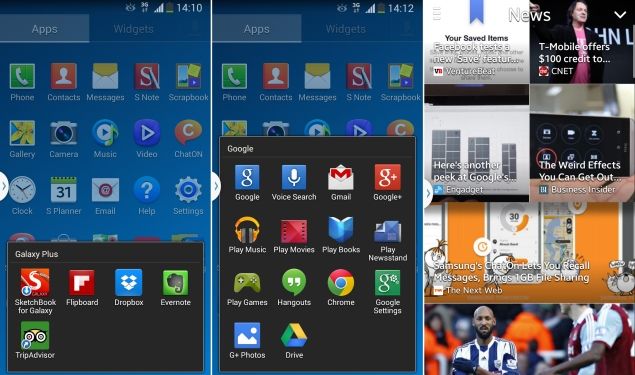
Users can find the regular
set of Google apps, including Chrome, bunched up in a folder. We can
always expect Samsung to fill their devices with bloatware, and they
don't disappoint in the case of the Neo. Here is the laundry list:
Samsung Apps, Samsung ChatON, Samsung WatchON, Samsung Link, Screen
Mirroring, S Voice, S Health, Group Play, Story Album, and S Translator.
Samsung also bundles Evernote, Dropbox, Flipboard and
Tripadvisor with the device. The apps are placed in a folder called
Galaxy Plus. Samsung teams up with Flipboard for content syndication for
the Magazine app and tries to emulate the functionality of HTCs
Blinkfeed, which in itself shares design ideologies with Flipboard. The
user can swipe from the bottom of the screen to pull up Magazine.
Samsung's
idea is to give the user plenty of choice, but these apps are a part of
the core system, and there's no easy way to delete them.
Camera
Samsung's Note series of phablets tend to deliver great camera results. In the case of the Note 3 Neo, Samsung has bumped down the rear camera's specification compared to the Note 3, which incidentally has one of the best smartphone cameras on the market today. This model features an 8MP rear shooter compared to the 13MP one on its elder sibling, and a 2MP one in front. Both are also capable of recording 1080p full HD videos.
Samsung's Note series of phablets tend to deliver great camera results. In the case of the Note 3 Neo, Samsung has bumped down the rear camera's specification compared to the Note 3, which incidentally has one of the best smartphone cameras on the market today. This model features an 8MP rear shooter compared to the 13MP one on its elder sibling, and a 2MP one in front. Both are also capable of recording 1080p full HD videos.
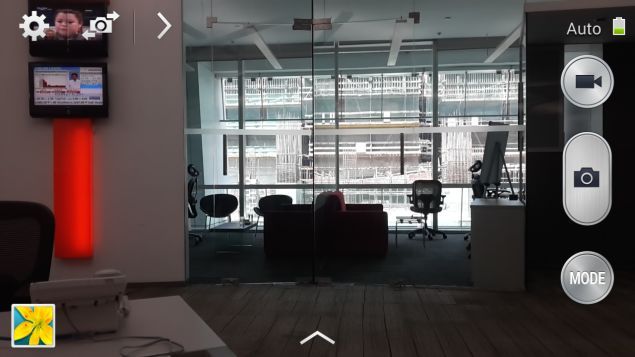
Users
accustomed to Samsung's camera interface will feel at home. The various
available shooting modes largely eliminate any need for third-party
apps. We found ourselves reaching for the Best Photo, Best Face and
Sound and Shot modes more often than not.
We tested the image
quality of captured photographs under different conditions. At first
glance, images captured in broad daylight look great but on closer
inspection we found that the leaves on a tree had a bit of chromatic
aberration. Indoor shots under incandescent lighting reproduced natural
colours with minimal noise. Samsung enhances performance in low light
using a feature called Smart Stabilization. Noise levels are high
despite using the enhancement. Video captured at 1080p skipped frames
and had interlacing issues when panned. All we can say is that the
camera could have been better.

(click to see full size)
Performance
We ran a bunch of synthetic tests to determine the Neo's processor performance and fortunately it performed to our expectations. AnTuTu returned a score of 29,075 and in the Quadrant test, the phablet clocked in an overall score of 11,858. The hexacore processor of the device is definitely a workhorse, and it shows in the buttery smooth performance while sifting through homescreens and the app drawer in general.
We ran a bunch of synthetic tests to determine the Neo's processor performance and fortunately it performed to our expectations. AnTuTu returned a score of 29,075 and in the Quadrant test, the phablet clocked in an overall score of 11,858. The hexacore processor of the device is definitely a workhorse, and it shows in the buttery smooth performance while sifting through homescreens and the app drawer in general.
For
graphically intensive processes we used GFXbench and 3DMark's Ice Storm
tests. The scores were 24.3 fps and 9446, respectively. This is
definitely not top-tier performance, and a few other devices in the same
price range such as the LG G2 and Sony Xperia Z1 perform much better.
SunSpider
took 870.8ms to complete and Mozilla Kraken returned a score of
8,106ms. Once again, the other phones performed better. Our
disappointment was compounded by the fact that opening multiple heavy
web pages at once caused the Neo to stutter.
Video playback is a
cause of concern, especially since the default apps refused to play
1080p videos. If the encoded audio is 5.1 channel, the default app
throws up the 'audio codec not supported' message. VLC, on the other
hand, managed to play all the files we threw at it, but the heavier
1080p files had artifacts cropping up from time to time and dropped
frames occasionally. We felt shortchanged with the experience on the
'supposedly' high-end hardware.
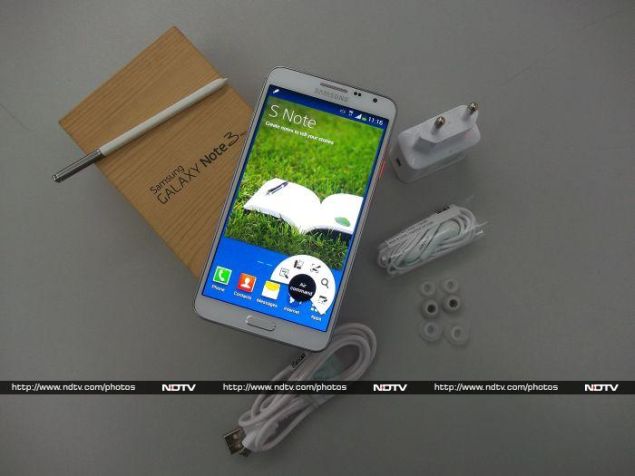
The bundled earphones are the
same ones that Samsung includes with most of its high-end Galaxy
devices, and are mediocre at best. The shrill treble overpowers the
muddled bass. The only saving grace was tight mids in songs which
emphasise only vocals. Audio purists will have a better experience with
third-party earphones, and we noted that the quality of sound improved
drastically when we tried our own.
At its highest volume, the
loudspeaker is a bit soft but definitely not enough to be a
deal-breaker. Once a call was made, the Neo managed to hold on the
cellular network signal even where performance is generally supposed to
be weak. The 3100mAh under the hood is a revelation since it lasted a
good 12 hours, 22 minutes in our continuous video loop test. Discounting
the testing process, during normal usage, we reached for the charger
only twice in five days.
A look at the aforementioned
observations, hexacore processor or not, reveals that the Note 3 Neo is
not meant to be a powerhouse device but a workhorse.
Verdict
All points considered; if you are looking for a sturdy phablet with a powerful stylus for note taking, a big, beautiful screen and great battery life, then look no further than the Samsung Galaxy Note 3 Neo as it might just serve the purpose. But be warned, the performance of the Neo is middling for an expensive device.
All points considered; if you are looking for a sturdy phablet with a powerful stylus for note taking, a big, beautiful screen and great battery life, then look no further than the Samsung Galaxy Note 3 Neo as it might just serve the purpose. But be warned, the performance of the Neo is middling for an expensive device.
At the time of this
review, online e-commerce websites were retailing it at approximately
Rs. 36,500 whereas the Note 3 retails for Rs. 43,500. Give the elder
sibling a serious thought before settling on the Neo. If you don't need
the stylus and can live with a smaller screen, we would also suggest
that you take a look at the Sony Xperia Z1 Compact and the LG G2, which
perform better.