The good: With a new Intel Core i5 CPU, sharp design, and nearly all-day battery life, the Toshiba Portege R835 is a smartly priced alternative to the 13-inch MacBook Pro.
The bad: Intel's integrated graphics are better than they used to be, but still not gamer-friendly, and features such as Bluetooth and mobile broadband are missing from some configs.
The bottom line: With three more hours of battery life over last year's model, Toshiba's new R800 series of Portege laptops are hard to beat, even in the highly competitive 13-inch laptop category.
Editors' note: It's worth noting that, as it did with last year's Portege R705, retailer Best Buy is selling one of the Portege R835 models at a steep discount. The Portege R835-P50X, with an Intel Core i3 CPU, Wireless Display, and WiMax, is available for $749, while its original list price is $899.
Any laptop reviewer has a handful of go-to systems ready to recommend at a moment's notice. Recent favorites include Apple's latest MacBook Pros and HP's AMD-powered Pavilion dm1. One of our favorites from last year was Toshiba's Portege R700 series. At the time we said, "The quest for the perfect laptop is ultimately fruitless....That said, the new Toshiba Portege R705 comes about as close as anything we've seen this year, offering a great mix of price, design, features, and performance."
Over time, however, the R705 lost some of its luster, as newer laptops moved to Intel's second generation of Core i-series CPUs, which promised better performance and longer battery life. Fortunately, Toshiba is ready with a new Portege series, this time called the R800. Nearly physically identical to the R700, the new models (we've got the $929 Toshiba Portege R835-P56X) add current-gen Intel CPUs, along with USB 3.0, while keeping the same magnesium alloy chassis and thin, lightweight design. The biggest surprise is the vastly improved battery life, topping 7 hours, and beating even the 13-inch MacBook Pro.
A few different configurations include or exclude Bluetooth or Intel's Wireless Display technology, or drop to a slower Core i3 processor, so check the features list carefully, especially as the price difference between most configs is only about $30.
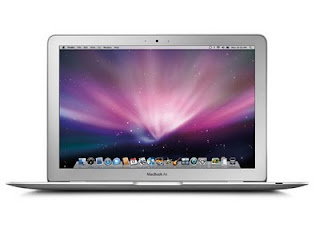
Much like last year's R700 series, the R835 has a subtle dark blue tint to its brushed-metal magnesium alloy chassis. The body feels sturdy despite its light weight, but this is not nearly as thin as Samsung's Series 9 or the MacBook Air--both of which are much more expensive. Sadly, this new version keeps the one visual element we disliked last time: the overly chromed screen hinges, which just look cheap.
The keyboard, like most current consumer laptop keyboards, uses flat, widely spaced island-style keys, except these keys are slightly more rectangular than most, which may throw off touch typists. This does, however, leave more room for the oversize touch pad, which is close to what you'd see on a MacBook, except with a pair of large standalone left and right mouse buttons.
Toshiba's keyboards typically have a vertical row of dedicated page-up, page-down, home, and end keys along the right side. This makes them easy to find, but at the same time pushes the Enter and Right Shift keys in from where you'd instinctively expect them to be. Media control buttons, volume, mute, etc., can also be hard to find, relegated to alternate F-key assignments and indicated on dark gray on black keys. Like the R705, the R835 lacks a backlit keyboard; for $900 it should be a standard feature. Despite these flaws, the R835 still offers an excellent overall typing and touch pad experience.
Returning for the second year is a handful of custom Toshiba software utilities. ReelTime displays recent documents and Web pages in thumbnail form along the bottom of the screen, and Bulletin Board combines photos and notes in a single workspace. Both are slick, usable programs, but they're proprietary and require a time investment in learning them, which you may not want to bother with unless you're dedicated to using only Toshiba computers.
The 13.3-inch LED display has a native resolution of 1,366x768 pixels--roughly comparable with the MacBook's 1,280x800 pixels, but less than the 1,440x900-pixel 13-inch display found in the 13-inch MacBook Air. Though bright, the off-axis viewing angles on the R835 weren't great, and we've never been impressed with the onboard audio in the Portege laptops.
Our configuration of the R835 included a fast Intel Core i5 processor; other configurations trade down to a Core i3, but also include Bluetooth, WiMax, and Intel's Wireless Display, for beaming video signals to an eternal display (via a sold-separately HDMI receiver). It can be confusing to mix and match among them, so make sure the model you're looking at has the features and components you want.
With a 2.3GHz Intel Core i5-2410M, 4GB of RAM,and a 640GB 5,400rpm hard drive, our Portege R835 ran slightly behind the newest Sandy Bridge Core i5 MacBook Pro, by a small amount in single-app tests, but by a larger margin in our multitasking test. Both outperformed Samsung's 9 Series 13-inch, which also has a new Intel CPU, but of the low-voltage variety. While the Series 9 is thinner and all-around sexier, the Portege R835 was much faster than the Samsung in all of our tests. It's also worth noting that you could almost buy two Portege R835 laptops for the cost of a single Samsung Series 9.
The latest Intel integrated graphics are better than those from last year, but that still won't make this a great option as a dedicated gaming machine. In our older Unreal Tournament III test, the game ran at 63.9 frames per second at 1,366x768 pixels, which is respectable. But in a newer game, Street Fighter IV, we got 27 frames per second at the same resolution, just short of playable.
Any laptop reviewer has a handful of go-to systems ready to recommend at a moment's notice. Recent favorites include Apple's latest MacBook Pros and HP's AMD-powered Pavilion dm1. One of our favorites from last year was Toshiba's Portege R700 series. At the time we said, "The quest for the perfect laptop is ultimately fruitless....That said, the new Toshiba Portege R705 comes about as close as anything we've seen this year, offering a great mix of price, design, features, and performance."
Over time, however, the R705 lost some of its luster, as newer laptops moved to Intel's second generation of Core i-series CPUs, which promised better performance and longer battery life. Fortunately, Toshiba is ready with a new Portege series, this time called the R800. Nearly physically identical to the R700, the new models (we've got the $929 Toshiba Portege R835-P56X) add current-gen Intel CPUs, along with USB 3.0, while keeping the same magnesium alloy chassis and thin, lightweight design. The biggest surprise is the vastly improved battery life, topping 7 hours, and beating even the 13-inch MacBook Pro.
A few different configurations include or exclude Bluetooth or Intel's Wireless Display technology, or drop to a slower Core i3 processor, so check the features list carefully, especially as the price difference between most configs is only about $30.
| Price as reviewed / starting price | $929 / $899 |
| Processor | 2.3GHz Intel Core i5-2410M |
| Memory | 4GB, 1,333MHz DDR3 |
| Hard drive | 640GB 5,400rpm |
| Chipset | Intel HM65 |
| Graphics | Intel HD 3000 |
| Operating System | Windows 7 Home Premium (64-bit) |
| Dimensions (WD) | 12.4 x 8.9 inches |
| Height | 0.7 - 1.1 inches |
| Screen size (diagonal) | 13.3 inches |
| System weight / Weight with AC adapter | 3.2/3.9 pounds |
| Category | 13-inch |
The keyboard, like most current consumer laptop keyboards, uses flat, widely spaced island-style keys, except these keys are slightly more rectangular than most, which may throw off touch typists. This does, however, leave more room for the oversize touch pad, which is close to what you'd see on a MacBook, except with a pair of large standalone left and right mouse buttons.
Toshiba's keyboards typically have a vertical row of dedicated page-up, page-down, home, and end keys along the right side. This makes them easy to find, but at the same time pushes the Enter and Right Shift keys in from where you'd instinctively expect them to be. Media control buttons, volume, mute, etc., can also be hard to find, relegated to alternate F-key assignments and indicated on dark gray on black keys. Like the R705, the R835 lacks a backlit keyboard; for $900 it should be a standard feature. Despite these flaws, the R835 still offers an excellent overall typing and touch pad experience.
Returning for the second year is a handful of custom Toshiba software utilities. ReelTime displays recent documents and Web pages in thumbnail form along the bottom of the screen, and Bulletin Board combines photos and notes in a single workspace. Both are slick, usable programs, but they're proprietary and require a time investment in learning them, which you may not want to bother with unless you're dedicated to using only Toshiba computers.
The 13.3-inch LED display has a native resolution of 1,366x768 pixels--roughly comparable with the MacBook's 1,280x800 pixels, but less than the 1,440x900-pixel 13-inch display found in the 13-inch MacBook Air. Though bright, the off-axis viewing angles on the R835 weren't great, and we've never been impressed with the onboard audio in the Portege laptops.
| Toshiba Portege R835-P56X | ||
|---|---|---|
| Average for category [13-inch] | n/a | n/a |
| Video | VGA plus HDMI | VGA plus HDMI or DisplayPort |
| Audio | Stereo speakers, headphone/microphone jacks | Stereo speakers, headphone/microphone jacks |
| Data | 1 USB 2.0, 1 USB 3.0, 1 USB 2.0/eSATA, SD card reader | 3 USB 2.0, SD card reader |
| Expansion | None | None |
| Networking | Ethernet, 802.11n Wi-Fi | Ethernet, 802.11n Wi-Fi, Bluetooth, optional mobile broadband |
| Optical drive | DVD burner | DVD burner |
With a 2.3GHz Intel Core i5-2410M, 4GB of RAM,and a 640GB 5,400rpm hard drive, our Portege R835 ran slightly behind the newest Sandy Bridge Core i5 MacBook Pro, by a small amount in single-app tests, but by a larger margin in our multitasking test. Both outperformed Samsung's 9 Series 13-inch, which also has a new Intel CPU, but of the low-voltage variety. While the Series 9 is thinner and all-around sexier, the Portege R835 was much faster than the Samsung in all of our tests. It's also worth noting that you could almost buy two Portege R835 laptops for the cost of a single Samsung Series 9.
The latest Intel integrated graphics are better than those from last year, but that still won't make this a great option as a dedicated gaming machine. In our older Unreal Tournament III test, the game ran at 63.9 frames per second at 1,366x768 pixels, which is respectable. But in a newer game, Street Fighter IV, we got 27 frames per second at the same resolution, just short of playable.